Your recipes, in one private book, for life. No account, no subscription.
TasteKeep is a private recipe book for iPhone, iPad and iPhone Duo. You keep family recipes with photos and steps, add a recipe from a link or a note, cook with timers that stay on the Lock Screen, plan the week and turn the plan into a shopping list sorted by aisle. There is no account and no tracking, and Pro is a one-time purchase.
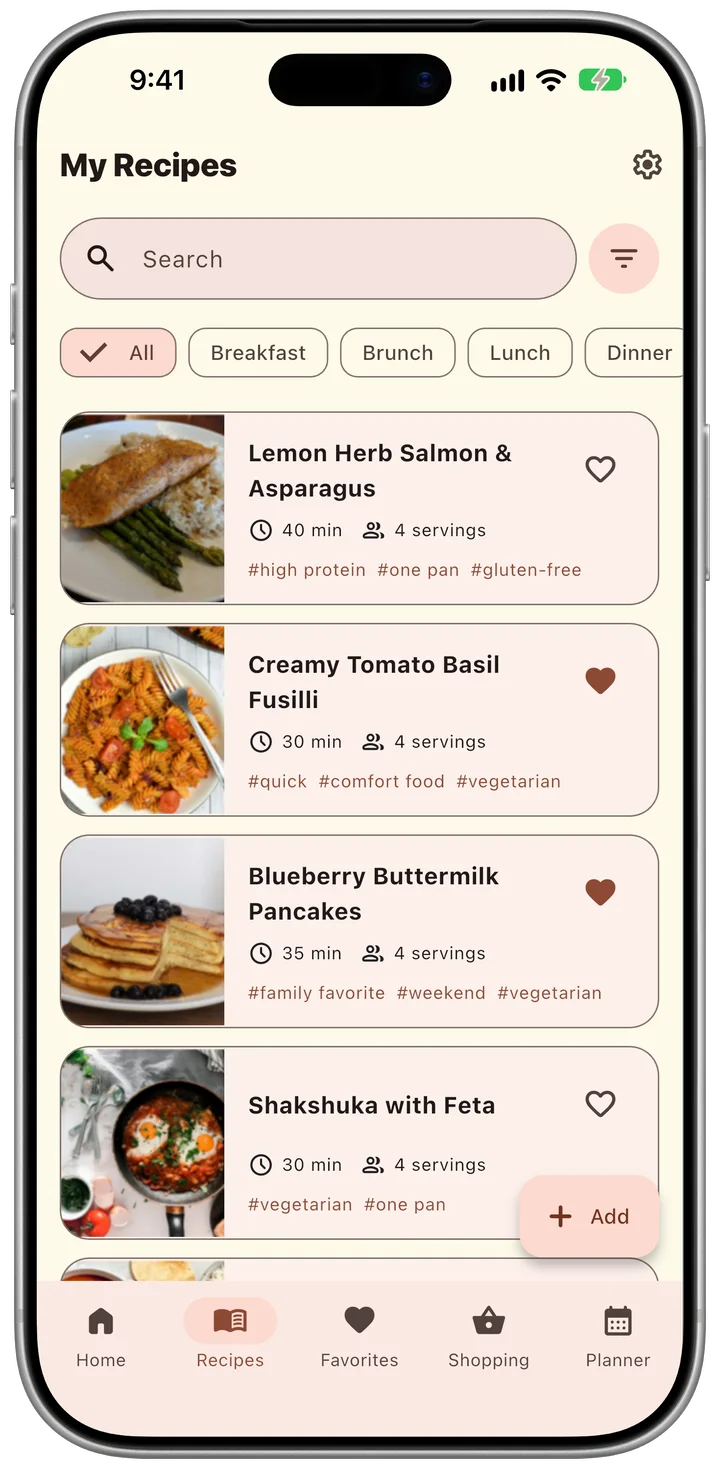
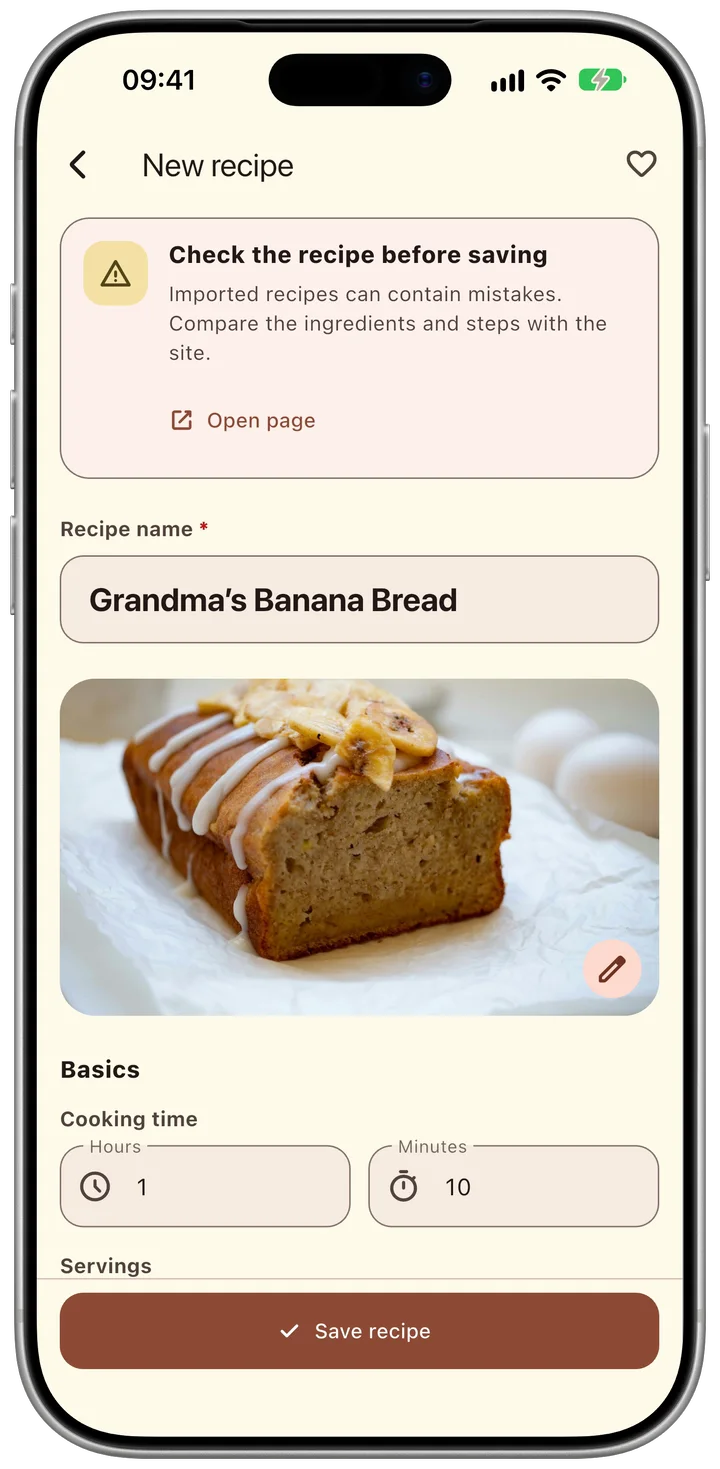
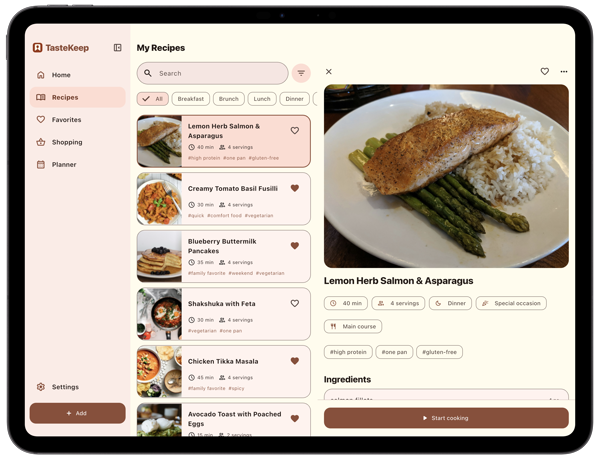
You save a recipe with photos, ingredients, step-by-step instructions, cooking time, servings, tags and the source. Paste a link to a recipe page or the text of a note, and TasteKeep fills in the title, photo, ingredients and steps; from Safari, tap Share and choose TasteKeep. You search and filter by meal, dish type or tag, mark favorites and open recent recipes in a tap.
Cook
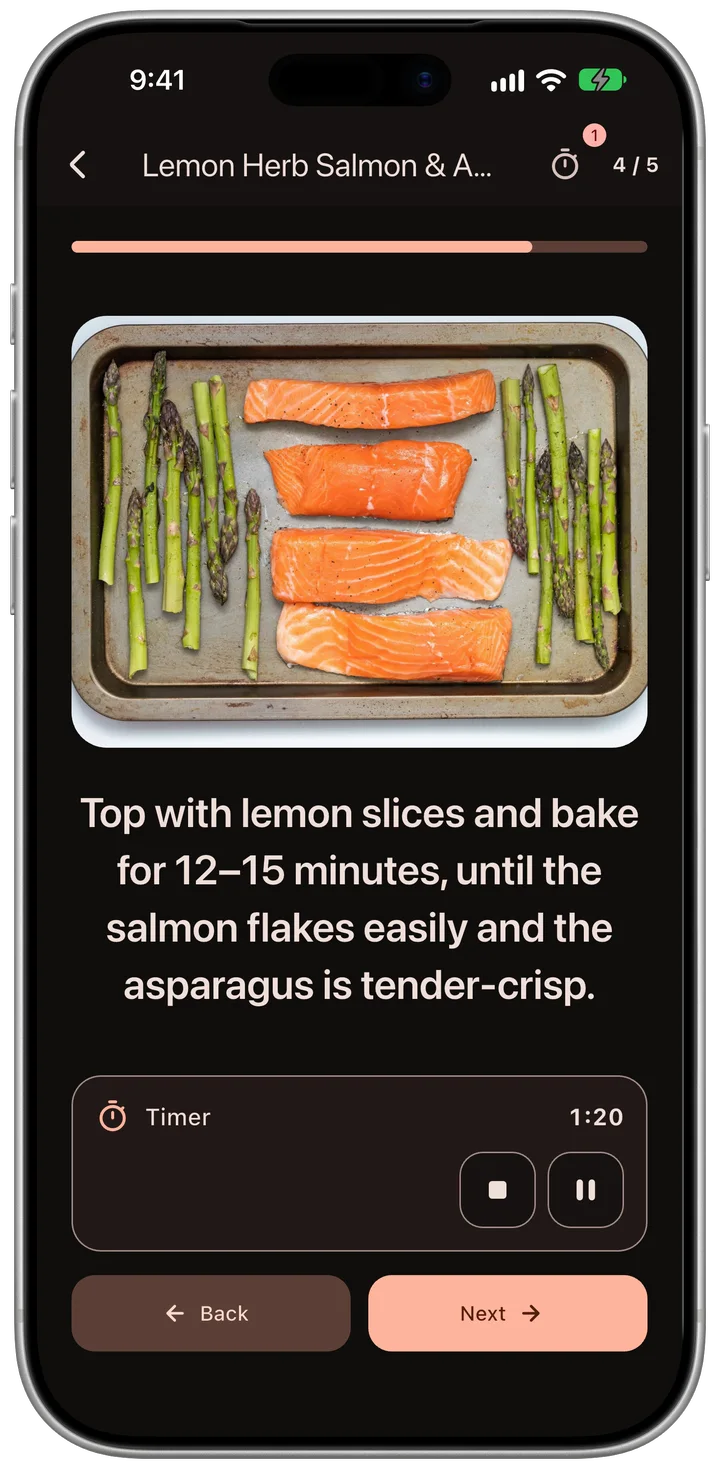
Cooking mode shows one step at a time in large type, with an optional photo per step and a timer built into the step. The timer keeps running on the Lock Screen and in the Dynamic Island, so the phone can stay locked while your hands are busy.
Plan (Pro)
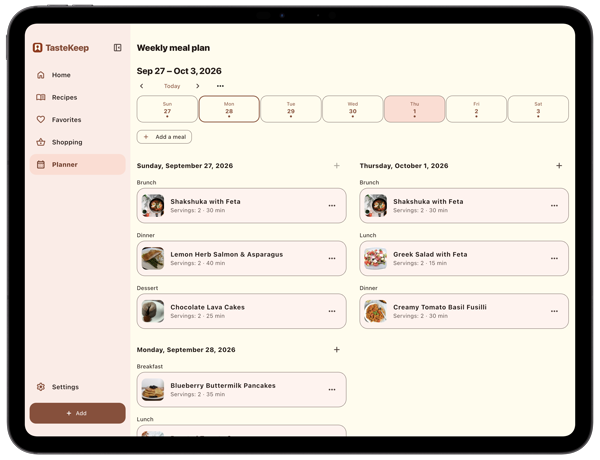
The weekly planner comes with week templates. You add recipes to breakfast, lunch and dinner, reuse a favorite week and turn the plan into a shopping list.
Shop (Pro)
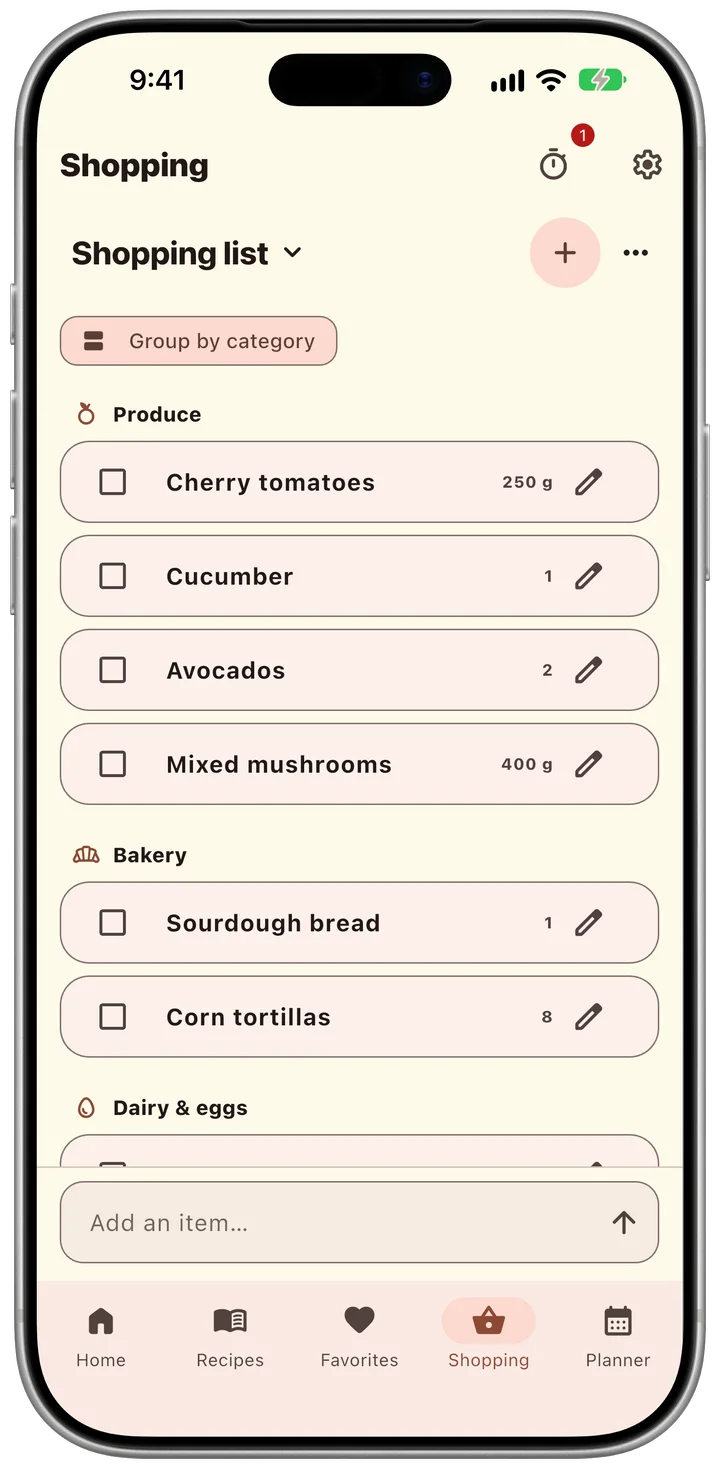
TasteKeep builds shopping lists from recipes and plans, groups them by store aisle and adds up quantities. You can keep several lists at once, one per store, and share them.
Yours
Recipes live on your device and in your own iCloud. There is no sign-up and no ad. You choose when to back up and what to share.
What’s new in 1.2.3
15 October 2026
Shopping lists sort every item into its aisle in all 17 languages
Fixes for iCloud sync and import
What’s new in 1.2.1
14 October 2026
Made for iPhone Duo: the layout follows the pose
Closed: the recipe book on the cover screen, the same as on any iPhone
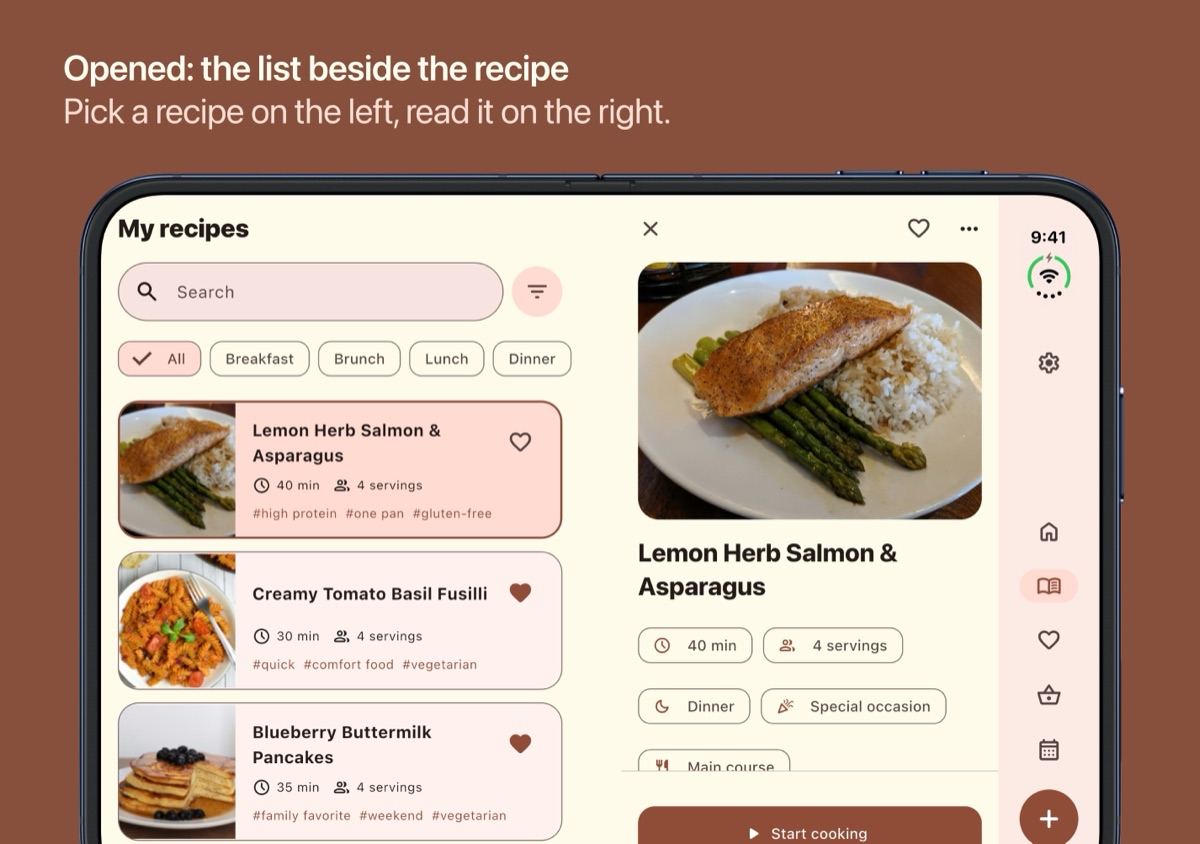
Opened flat: the recipe list beside the recipe, the photo beside the steps, the week beside the day in the planner
Book pose: the photo on one side and the steps on the other while you cook
Laptop pose: the step above the fold, the timer and the buttons below it
What’s new in 1.2
10 October 2026
Add a recipe from a link or a note: TasteKeep fills in the title, photo, ingredients and steps, and you check them before saving
Share to TasteKeep from Safari and other apps
Share a recipe as images, a PDF or text
Tags in the filter; a “Plan your first week” card while the planner is empty
Import and sharing are free
What’s new in 1.1
30 September 2026
Weekly meal planner with week templates (Pro)
Shopping lists from recipes and plans, sorted by aisle; several shareable lists (Pro)
Cooking timers on the Lock Screen
Full iPad layout
New App Store name: “TasteKeep: Recipe Keeper”
Why it exists
Most recipe apps come with a subscription and a feed of other people’s recipes. TasteKeep keeps your own recipes in your own book on your own devices, adds a planner and a shopping list when you need them, and charges one price for life.
About the developer
Uladzislau Vyskvarka designs and builds TasteKeep alone. It started as a private family recipe book and grew into a planner and shopping companion.
Assets
App icon (PNG, 1024×1024)
iPhone screenshots (10) and iPad screenshots (8) in Apple device frames, including import from a link
iPhone Duo App Store screenshots (15): closed, open portrait and open landscape
Two short vertical (9:16) product videos: the App Store preview (25 s) and “Plan the week” (18 s)
You may use the screenshots and video in coverage of TasteKeep.
48 MB: the icon, 33 screenshots, two videos and this text.
Quick facts for editors
Founded: 2026, solo developer
Releases: TasteKeep 1.0, September 2026; 1.1 with the planner and iPad, 30 September 2026; 1.1.1 with a refreshed App Store page, 1 October 2026; 1.2 with import from a link or a note and Share to TasteKeep, 10 October 2026; 1.2.1 with iPhone Duo layouts, 14 October 2026; 1.2.3 with aisle sorting in 17 languages, 15 October 2026
Business model: free app with a one-time Pro purchase; enrolled in Apple’s Small Business Program
Built with Flutter and native iOS extensions (Live Activities for timers, the Share extension for import)
Get TasteKeep
Free on the App Store for iPhone, iPad and iPhone Duo.